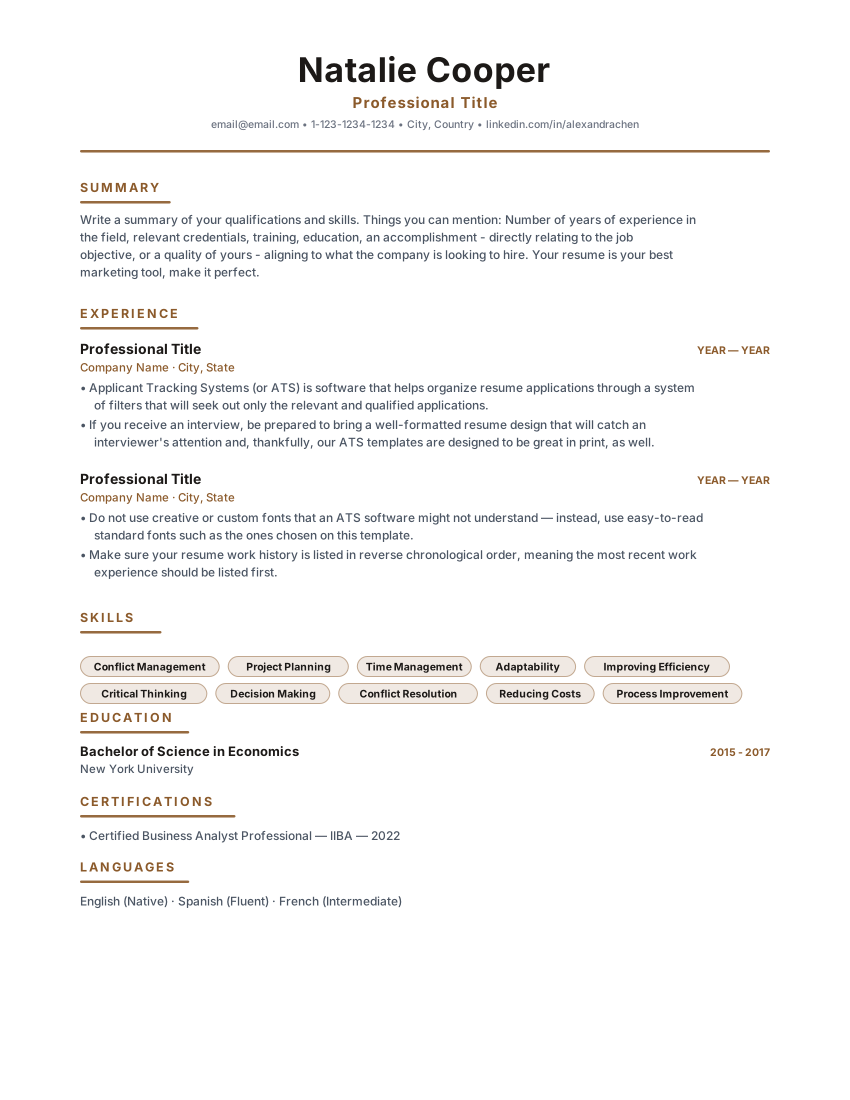
Free online resume maker — no signup
ATS-friendly resume maker — create a professional resume for free
ResumeEarth is a free ATS-friendly resume maker: build your resume online from 100 professional templates, add your experience, and download a clean PDF — no account, no email address and no paywall.
- No sign-up or account
- 100 templates, all free
- Download a PDF, no watermark
- Nothing to pay, no card
- Start in secondsOpen the builder and start typing
- Built for ATS parsingStandard headings, one reading order
- PDF and DOCX exportDownload the file you previewed
- Drafts stay in your browserCome back and carry on where you left off
Templates
ATS-friendly resume templates you can start from
Each layout uses standard section headings, a single reading order and real selectable text. Open one to see it filled with sample content, then edit it in the builder.
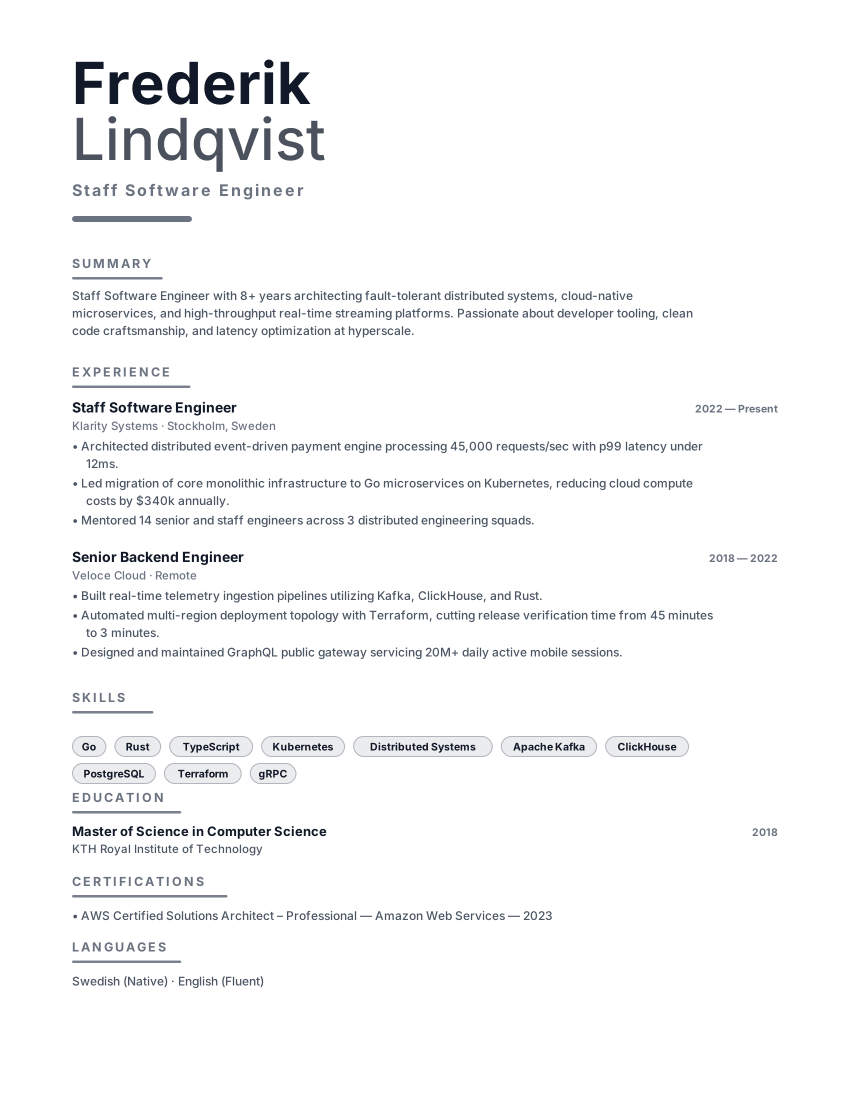
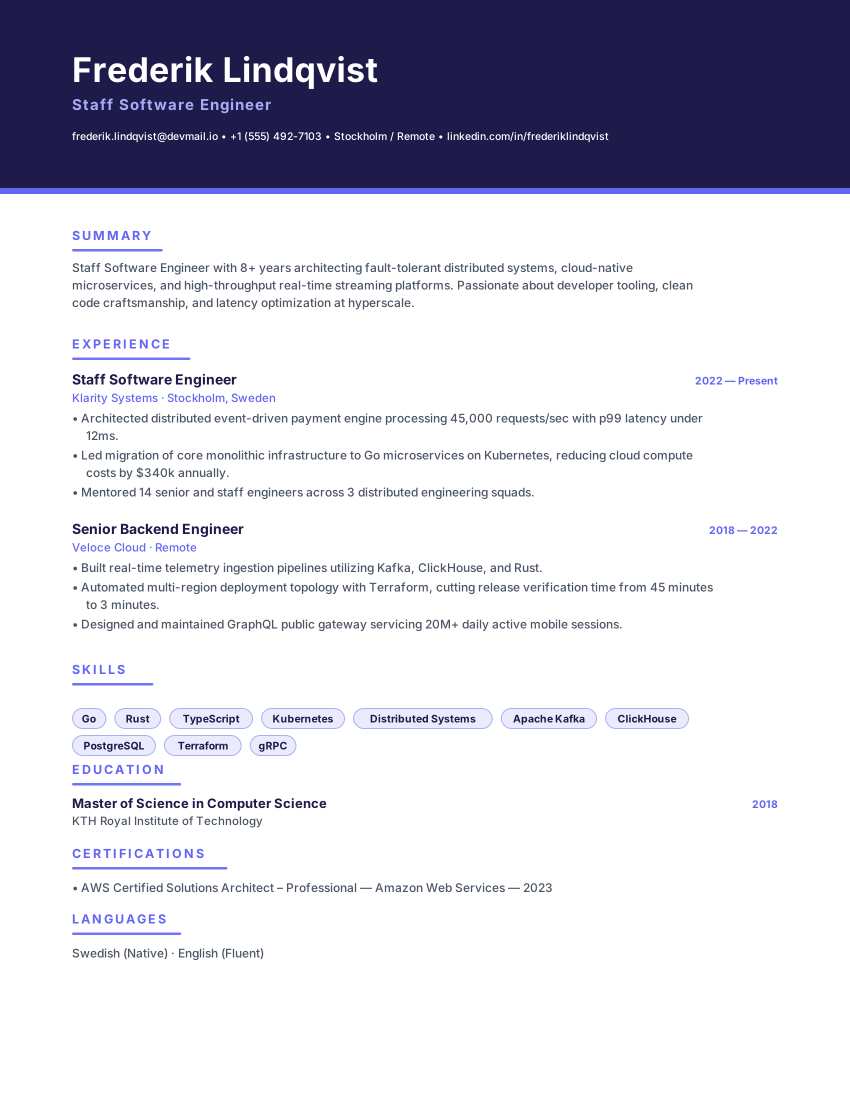
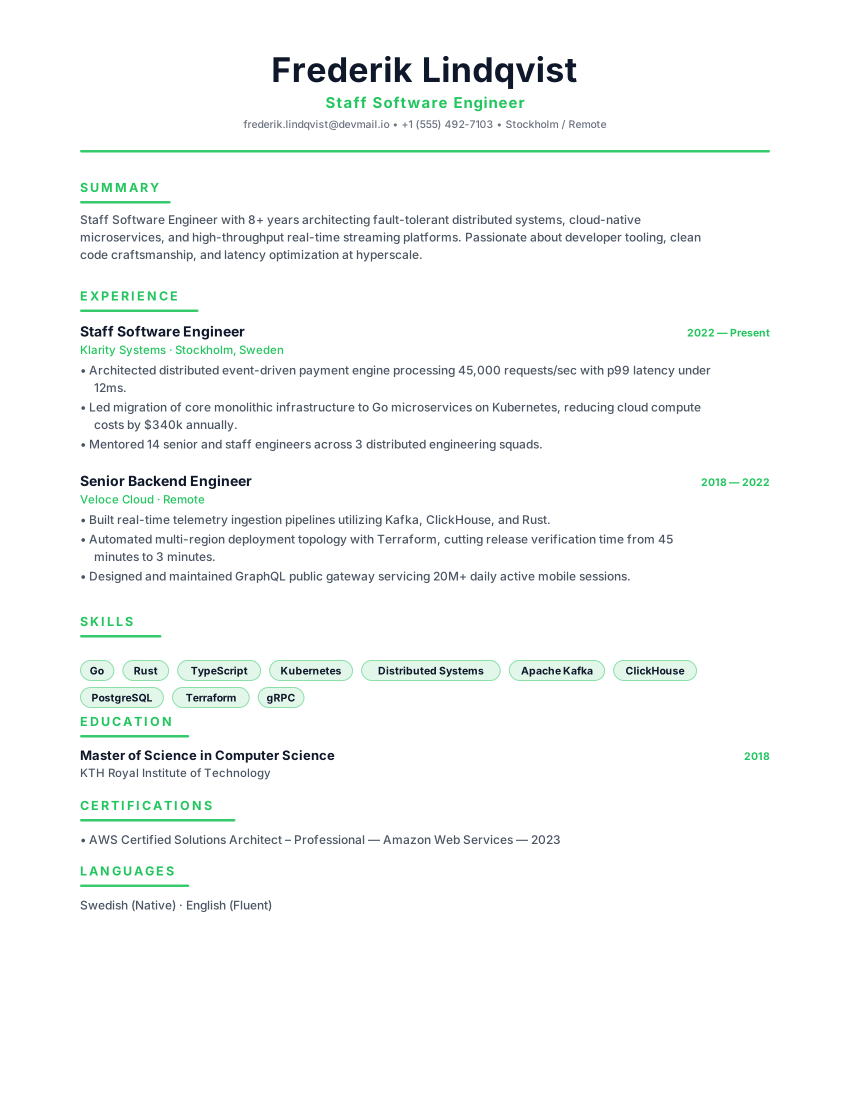
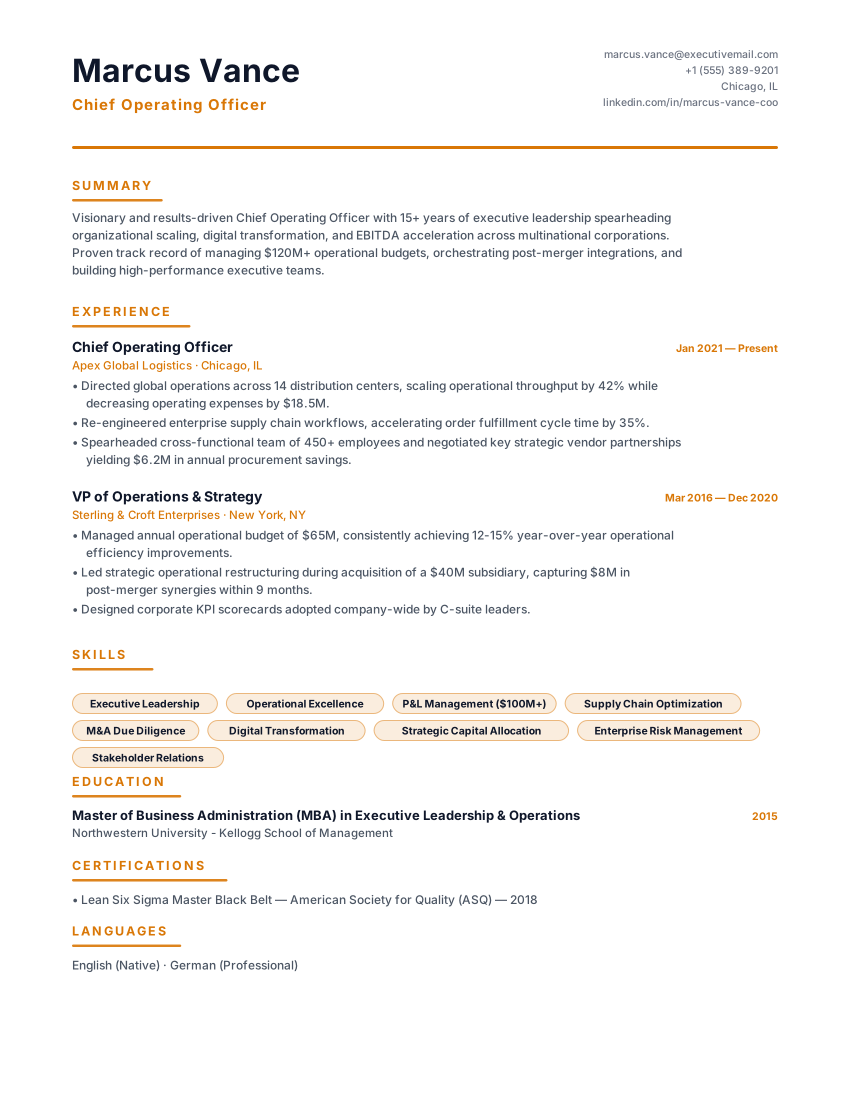
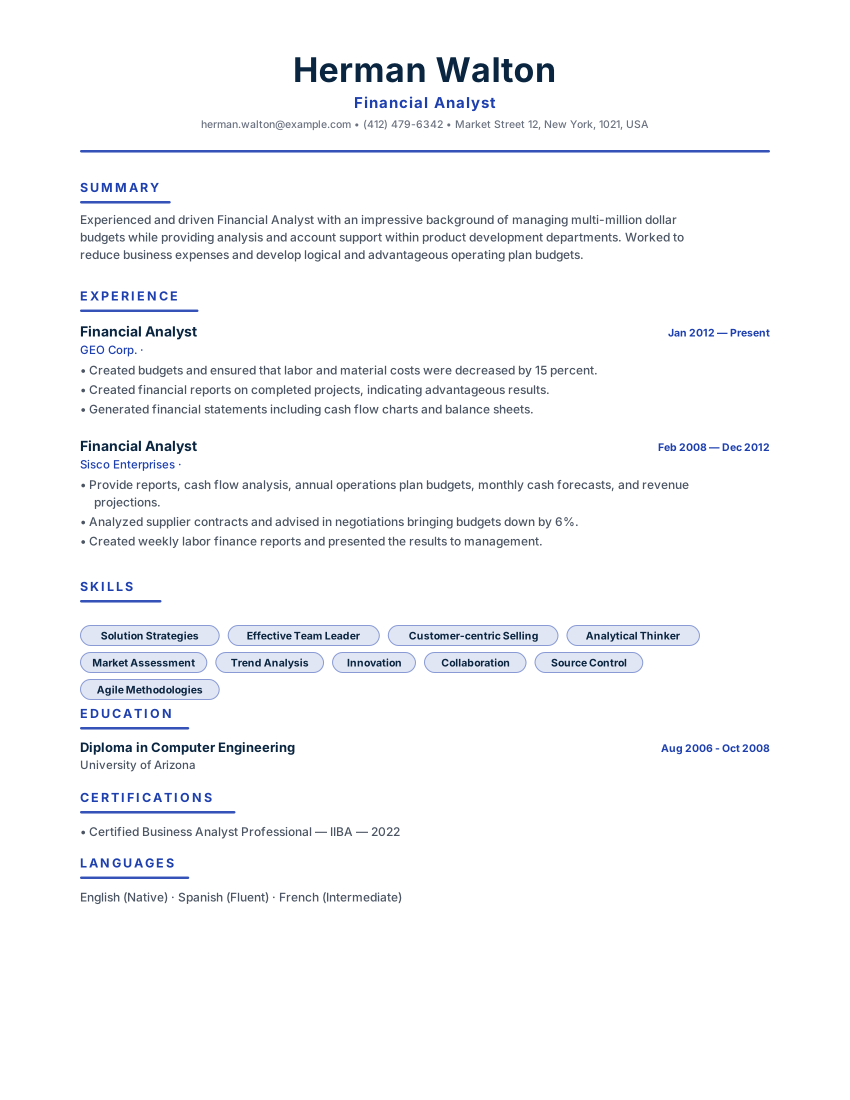
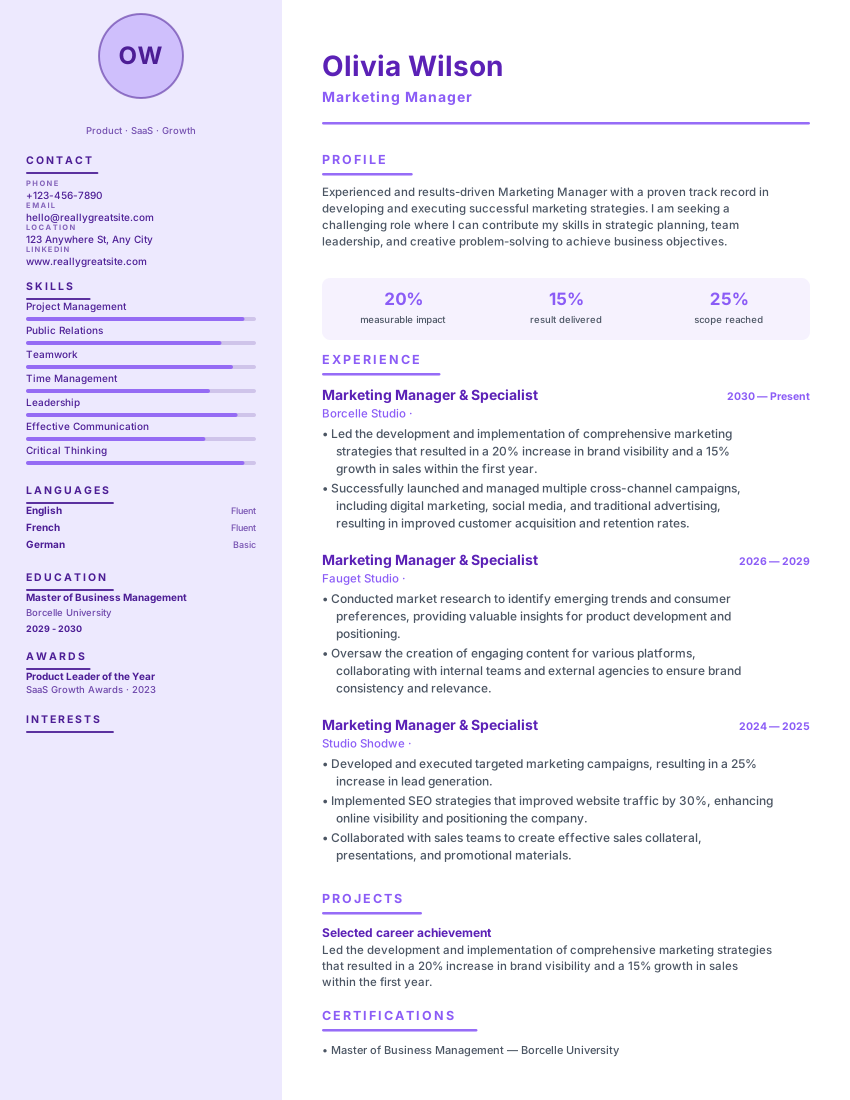
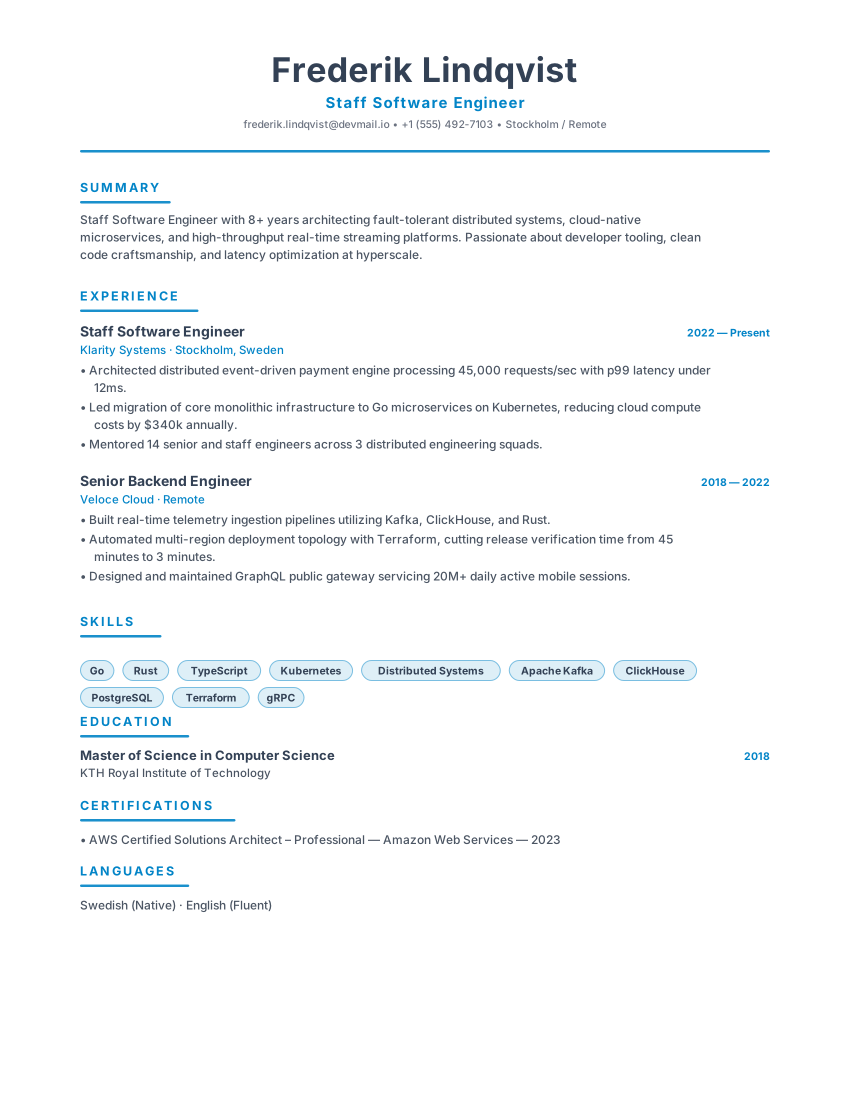
Browse all 100 ATS-friendly resume templates
Filtered by industry and role, with a live preview for each one.
How it works
How to create an ATS-friendly resume online
Three steps, no account to create, no software to install and nothing to pay. The resume maker runs in your browser and saves your draft as you go.
Choose a template
Pick one of 100 ATS-friendly layouts, grouped by industry and role, each with a live preview.
Add your experience
Work through the guided sections and watch the resume update in the live preview as you type.
Download your resume
Export a PDF with no watermark, then come back and export again as often as you like.
Start building your resume
Free to use · no sign-up · no watermark
What's included
Everything you need to build an ATS-friendly resume
Templates, writing help and the checks that tell you whether the result reads well — free, and usable without an account.
ATS-friendly resume templates
100 layouts built around standard section headings, a single reading order and selectable text — the things parsing software depends on.
Live preview while you type
The resume updates as you edit it, so you can see the layout and page balance before you export instead of after.
AI writing help
Draft a professional summary, turn duties into measurable bullet points and tighten weak phrasing. Every suggestion stays editable.
ATS resume check
Upload an existing resume to review its structure, headings and wording before you send it anywhere.
Job match
Paste a job description next to your resume and see which of its keywords and requirements you are missing.
PDF and DOCX export
Download a print-ready PDF with no watermark, or an editable DOCX if an employer asks for one. Both are free.
ATS, explained
What makes a resume ATS-friendly — and how ResumeEarth is built for it
An applicant tracking system (ATS) is the software employers use to store, search and filter the resumes they receive. It extracts your document into fields: name, employers, dates, education, skills. A resume is easy to parse when its structure is predictable.
Standard section headings
Work Experience, Education and Skills are headings parsing software recognises. Creative labels like “Where I've been” read well to a person and say nothing to a parser.
One simple reading order
A single column, read top to bottom. Multi-column layouts, text boxes, headers and tables reorder content when it is extracted, which is how a job title ends up attached to the wrong employer.
Real text, not pictures of text
Exports keep the words as selectable characters. A resume saved as a flat image has no text for anything to read — which is why PDF export here keeps the text layer intact.
Keywords used in context
Systems match the words in a posting against the words in your resume. The fix is to describe what you actually did using the terms the role uses, not to hide a keyword dump in white text.
An honest limit. ResumeEarth templates are designed around those four rules, but ATS products differ and employers configure them differently. No template can guarantee how a specific system will parse your file, or that any application leads to an interview. Always open the exported PDF, check that the text is selectable, and follow the file format the employer asks for. You can review an existing resume against these checks or read how ATS screening works in practice. If you would rather not hand your details to another website, this resume builder needs no signup — the draft lives in your browser.
Who it's for
A resume builder for whatever stage you are at
The same builder covers a first internship application and a director-level move. What changes is the template and the emphasis — both are yours to choose.
Students and graduates
Turn coursework, projects and internships into a first resume with the right sections in the right order.
Experienced professionals
Turn years of responsibility into short, measurable bullet points that survive a six-second read.
Career changers
Lead with transferable skills, then compare your draft against a target posting to find the gaps.
Software and technical roles
Give languages, frameworks, tooling and project work the prominent, scannable placement they need.
Healthcare and clinical roles
Structure rotations, licences, certifications and patient-care competencies in a layout recruiters expect.
Finance and accounting
Present modelling, reporting and compliance work in the conservative single-column format the field prefers.
Executives and directors
Lead with scope, strategy and outcomes — P&L ownership, team size and the change you delivered.
Marketing and creative roles
Show campaign metrics and portfolio links while keeping the document readable to parsing software.
Why ResumeEarth
Free, private, and no account standing between you and the file
Most resume builders let you type, then ask for an email address at the download button. This one does not — and the comparison below is the checklist we would want you to run on any of them.
Free to use
The builder, all 100 templates and PDF export are available without payment, a card or a trial period.
No login or sign-up
No account, no email, no password, no verification link. Open the builder and start typing — your draft is saved in your own browser.
No watermark
The PDF you download carries no watermark or branding. Open the file before sending it, since rendering can vary by viewer.
Edit and export as often as you need
Save separate versions for different applications and export each one, without an account or an export cap.
Built for ATS readability
Standard headings, a single reading order and selectable text. ATS products and employer settings differ, so no template can guarantee how one will parse your file.
AI writing help included
Draft summaries, bullet points and skills, tighten weak phrasing and compare against a job description. Availability depends on the service behind the feature.
Private by default
Your draft stays in your browser. If you use an AI or analysis tool, the text you submit there is sent to the configured service to produce the result — see the Privacy Policy.
Guided, step by step
Choose a template, work through the guided sections and export when you are ready. Your draft is saved as you go, so you can stop and come back.
| Feature | What to check in any builder | ResumeEarth |
|---|---|---|
| Price | Check current prices, trials and renewal terms | Free to use — no card, no trial, no invoice |
| Account | Check whether an account is required | No account required to start building |
| PDF export | Check file types, export limits and any checkout step | Export a PDF without a watermark |
| Watermark | Check whether the free tier adds a watermark | PDF export without a watermark |
| AI writing help | Check AI availability, usage limits and data handling | Included; availability depends on the service behind it |
| Your data | Review where drafts are stored and which services process submitted information | Drafts stay in your browser; AI tools process the text you submit |
- Free to use
- No login, no signup
- No watermark
- PDF export available
- ATS-friendly templates
Your draft stays in your browser. Read the Privacy Policy to see exactly what the AI tools send.
No account created · no email required · export when you are ready
Career tools
Free resume tools, all without an account
Writing help, checks and generators. Use one on its own, or run through them in order while you put an application together.
Resume builder
Build an ATS-friendly resume online and download the PDF without signing up.
Open toolATS resume check
Upload an existing resume and review its structure, headings and wording.
Open toolATS resume templates
100 free templates across industries, each with a live preview.
Open toolJob match
Compare your resume with a job description to find missing keywords.
Open toolCover letter generator
Draft a cover letter matched to your resume and the role you are applying for.
Open toolResume summary generator
Write a short professional summary that fits your level and target role.
Open toolBullet point generator
Turn plain duties into measurable achievement bullet points.
Open toolSkills generator
Pull out the skills and keywords a role expects and check you cover them.
Open toolResume review
Get blunt, practical feedback on the mistakes that cost interviews.
Open tool
Looking for AI writing help specifically? Open the AI resume builder.
Guides
Resume writing guides, from formatting to final check
Longer reads for when you want the reasoning, not just the tool.
ATS optimization
How to pass ATS screening
How applicant tracking systems extract a resume into fields, and which formatting decisions decide whether they succeed.
Formatting
Best resume format
Chronological, functional and hybrid layouts compared — and which one suits your situation.
Step by step
How to make an ATS resume from scratch
A step-by-step build, with bullet formulas and where to place the keywords you want to be found for.
Questions
Frequently asked questions
The things people ask before they start: what it costs, whether an account is needed, and what “ATS-friendly” actually covers.
ResumeEarth is a free ATS-friendly resume maker and online CV builder. You choose a template, enter your experience, education and skills, and download the finished document as a PDF. It runs in your browser, needs no account, and includes optional AI writing help plus free checks such as an ATS resume review and a job match comparison.
Still deciding? Look through the professional ATS templates, or check the resume you already have. Both are free and neither needs an account.
Contact supportCreate your resume — free, and without signing up
Choose a template, fill in your experience and download a clean PDF. No account, no card, no watermark.
- Free to use
- No sign-up required
- No watermark
- PDF export